Microsoft Ignite 2019 – Day three — November 7, 2019

Microsoft Ignite 2019 – Day three

We are officially half way through the conference and if you have been following my previous two blogs posts this week you will have seen its been filled with a variety of things including sessions, discussions and keynotes!
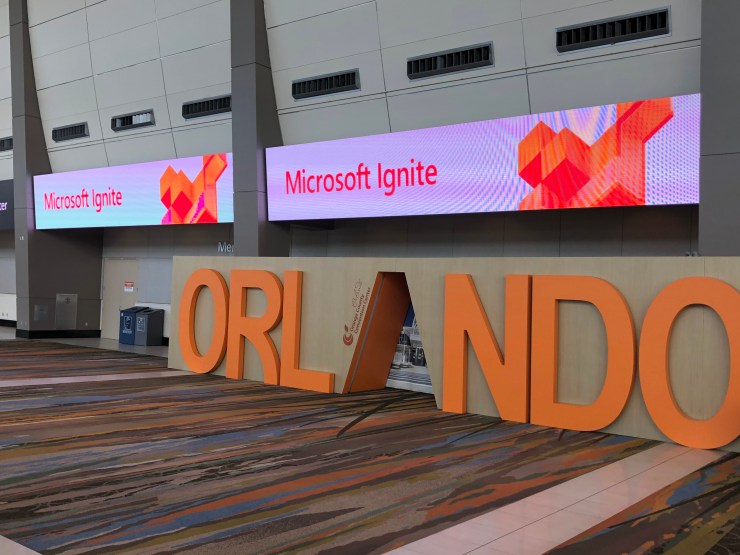
Today I decided to change it up a little and go more ’hands on’ with some labs so decided to only schedule two sessions:

  • ‘Azure VMware Solutions’
  • – ‘Reaching for the cloud: Group Policy Transformation to MDM with Microsoft Intune’

My first session wasn’t until mid morning, so I decided to get in a bit earlier for some breakfast at the HUB as I did yesterday. The one bonus I have found at the event that I wasn’t expecting are the random conversations I have had with other attendees and just listening to their stories. I mentioned this in my last blog and today was no different as I heard perspectives from professional who work for a Christian charity, a kids network TV channel and a manufacturing company. They all had one thing in common which was they use Azure, and in some cases use similar services, yet come from totally different business enterprises. This networking and meeting people from different walks of life has so far been one of the highlights this week!
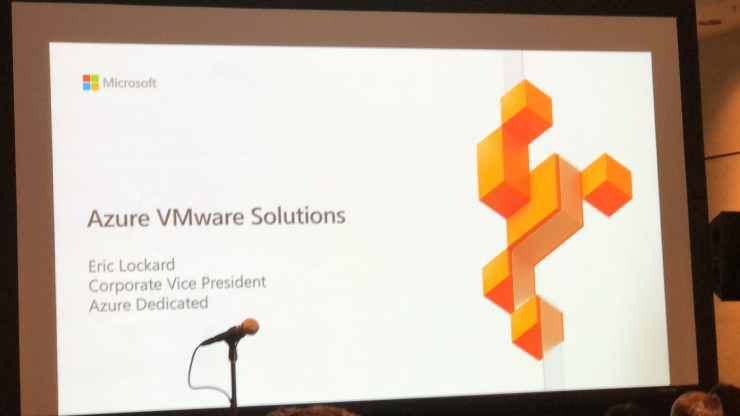
After breakfast it was time to get my first session of the day which was ‘Azure VMware Solutions’. This is a platform that was announced earlier this year and something I have unsuccessfully tried to get a trial of, so it was good to get a more in-depth understanding of it. The platform is designed for every type of workload:

  • Modern Apps
  • Business and Mission Critical services
  • Dynamic and scalable

According to Microsoft, 90% of VMware on-premises customers want to run VMware in the cloud and 63% of VMware customers also considering running in the cloud natively. These types of numbers are what has driven Microsoft and VMware to put there differences aside and provide Azure VMware solution and you can now run your VMware workloads natively in Azure.

A massive positive of this solution for me is that it lets VMware trained IT professionals utilise the skills they have honed over the years as its still managed via vSphere!! There are currently on 3 regions where this service is available, however 11 Azure regions will have this service by May 2020 which implies there is massive investment on this platform by Microsoft. The other concern around cloud platforms I hear a lot of is if they abide by certain standards like ISO and so on, and all standard certifications are also coming early 2020 so it will be a fully certified platform as well.

The second half of the session was demo based and it was great to see the compatibility with on premises VMware as well as Azure NetApp files.

My next session wasn’t until late afternoon, so I decided to get to the hub and have some fun with ‘Hands on Labs’. The first lab I decided to do was based around using Azure Migrate to move VMware workloads to Azure and was a great follow on from my session. Initially I found the lab really good, clear instruction and it just worked. Probably due to the early time I went but I didn’t have to wait for a seat either which was not the case later on.

The lab took around an hour to complete, mainly as I was trying to take my time and fully understand the steps was doing, rather than just blindly following them. Once id finished, I had a walk around and bumped into a few of the Microsoft Teams MVPs (Chris Hoard – @Microsoft365Pro and Adam Deltinger – @deltanr1) and had more great conversations about their own journey to becoming MVPs. When I first heard about the MVP program my initial thought was I really want to target becoming one…however the more I thought about, in my opinion this is not something you should really aim to become…don’t have it as an end goal. Contribute to the community because you enjoy helping others and if the MVP award comes its just a bonus, and hearing both Chris and Adams stories just backed up my own thoughts.

After lunch I decided to hit up some more labs, but unfortunately my experience was much different. Once I arrived, I had to wait for about 20 minutes for a spare seat. One criticism I have of the labs is there is so much demand but only a small number of seats…my recommendation for next year is increase the number of seats. When I finally got a seat I started to load my next lab which was going to be using Azure Site Replication to recover VMware workloads…or so I thought. For some reason it kept loading the wrong lab, and after about 30 minutes of the lab helpers trying to fix it they couldn’t so I had to abort.

‘These things happen’ I thought, so I decided to do another lab around Exchange Hybrid and making meeting room management simpler. This time the correct lab loaded, however it was very slow, buggy, crashed several times, and after an hour I decided to give up. One of the more disappointing aspects of this was that the technical helpers were not able to assist, and a lot of the time just shrugged their shoulders. The first and hopefully last bit of disappointment at the conference!

I decided I needed cheering up, so had a stroll around the HUB and took part in some of the interactive games which was really fun, including a game of Fuss ball against a robotic arm…which I lost as well as a few others.
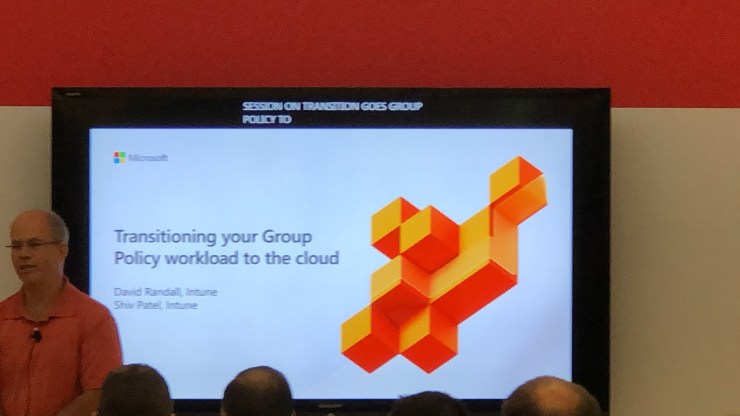
I moved onto my last session of the day ‘Transitioning your group policy workloads to the Cloud’. This is something I was intrigued to understand as I have wondered what is the best way to migrate on premises group policy to Intune. Intune MDM is great for Cloud only users, and even Hybrid users can take advantage of a lot of the features. According to Microsoft, customers face the following problems:

  • Policy Gaps: Legacy Group Policy settings are note supported by Modern Management
  • Feature Depth: Modern Management does not support Group Policy features
  • Enhanced targeting: Targeting with AAD Security Groups isn’t as rich as targeting in AD/GPO

Microsoft have the following approach to solve these problems:

  • Fill the gaps: Intune support CSE settings for example
  • Add new features: Intune policy analytics to assist with understanding current Group Policy landscape & MDM support for example
  • Give real world guidance: Practical case study-documented approach guides customers with proven plans and results in the transition for example

The session was shorter than most others I have sat in and ended with a short demo which unfortunately was more of an overview of some features rather than a deep dive.  This brought an end to day three.

Shabaz Darr is a Senior Professional Services Consultant at Concorde Technology Group in the UK. Shabaz’s primary responsibility is providing technical expert knowledge in both Cloud and Security to Concorde’s customers and partners. As an avid techie, Shabaz enjoys learning and working with new technology and can be found on twitter at @ShabazDarr https://www.linkedin.com/in/shabaz-darr-900b8361/ https://twitter.com/ShabazDarr
Microsoft Ignite 2019 – Day Two — November 6, 2019

Microsoft Ignite 2019 – Day Two

As I mentioned in my day one bloghttps://iamitgeek.com/2019/11/05/microsoft-ignite-2019-day-one/), I decided against packing that day full of sessions so I could get my bearings and take in a lot of the Hub as well as the main keynote talks. Day two was very much about sessions, with my main focus of the day being Security.

For those who follow me on social media (see the bottom of this post for the handles) you would have seen a sneak peak of some of the sessions, however I have said the juicy details for this blog post!

My planned sessions for today were:

  • ‘Protect your cloud workload from threats using Azure Security Centre’
  • ‘Secure your enterprise with strong identity foundation’
  • ‘Deep Dive into Azure policy and Governance’
  • ‘Top ten security practises in Azure today’

My first session wasn’t until mid morning, so I decided to grab some breakfast in the ‘HUB’ during which I had some amazing conversations with other people in the industry. One of the highlights and take a way’s from this week will definitely be listening to other IT professionals stories, and how they go about managing their customer base, as well as some of the products they use to do this.

One of the other great things about these type of conferences is you get direct, face to face time with the actual vendor engineers which is super helpful and allows you to ask questions around problems you are having with your own ongoing work. I managed to get some amazing information from the SharePoint team and the Intune App deployment team on some problems I am having on an ongoing project which I can take back with me to hopefully solve some issues.

After a very productive morning it was time for session on of the day: ‘Protect your Cloud workload form threats using Azure Security Centre’. The session was broken down into four areas of ‘Intelligent Security’ –

  1. Identity and Access Management
  2. Threat Protection
  3. Information Protection
  4. Cloud security

Microsoft believe the ‘Workloads are heterogenous and hybrid’ so its not only about protecting your cloud environment, you also need to protect the on premises environment. The most common threats Microsoft see are around the following:

  • Virtual Machines
  • Containers
  • App Services
  • SQL DBs
  • Storage Accounts
  • Key Vault

To help you manage all these different identities and services, Microsoft have totally re-vamped the Azure Security Centre which now includes the Office 365 Security score. Its now based on two main pillars:

  • Strengthening Security Posture
  • Protect against threats

For me the one area that really hit home was about ensuring you protect your VM workloads by reducing open network ports and protecting against malware, something I see issues with a lot in my role. New announcements was also becoming a regular theme and this session was no different with the announcement that Microsoft now offer built-in vulnerability assessments for VMs which is available as part of the standard VM pricing!

The session finished with another new announcement was new advanced protection capabilities for data services which is now in preview, which includes:

  • Protecting SQL servers on Azure VMs
  • Malware reputation screening for Azure storage
  • Advanced Threat Protection for Azure Key Vault

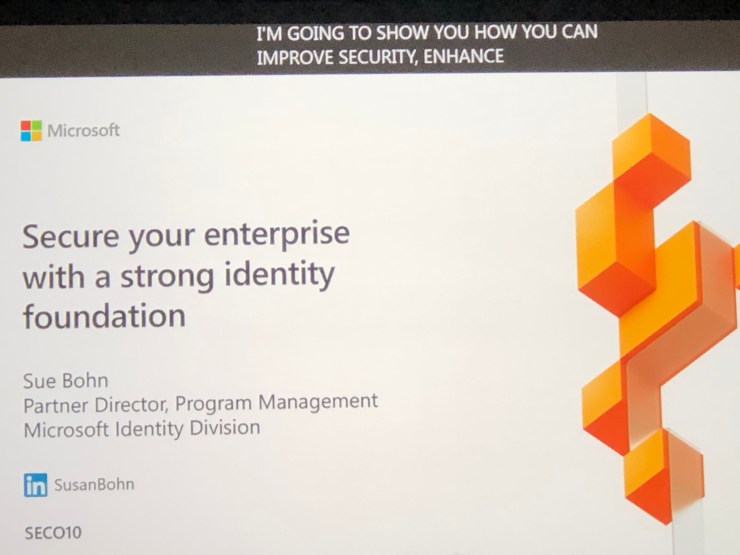
After a not so short walk I was at my second session of the day: ‘Secure your enterprise with strong identity foundation’. Although this wasn’t a very technical session it was very insightful into how much development Microsoft are actually putting into Azure AD, and how they actually see it as being more secure than Active Directory on premises.

The session touched on a number of different sub topics around identity management, one being getting to a world without passwords. For me this was a very strange concept as passwords have been present since the day I came into IT, however it is also one of the biggest vulnerabilities as well. How many times have you had to deal with security issue due to a brute force password attack?

The future for Microsoft appears to be based around bio metrics, including face recognition, finger print scanning and biometric key fobs. Now you might think these types of technologies have been around for a while, for example Windows Hello in Windows 10, as well as Banks using biometrics to login into Internet banking. The difference is rather than using these as and when, Microsoft want these to take over from the password, bringing of age a world without passwords!

Another take away from this session for me was around utilising Azure AD for all your 3rd party apps, not just Microsoft based apps, which is done via SSO (Single sign on) and Azure App Proxy. The session also touched on subjects including: –

  • Conditional Access and using smart protection policies and risk assessment to grant access
  • Azure AD Identity Protection
  • Self Service Password reset

After a short lunch break in the Hyatt Regency I was refuelled and ready for the third session of the day: ‘Deep Dive into Azure Policy and Governance’. It turned out that although very interesting, this session went a little over my head, mainly due to it being a lot of live demos using Azure Shell.

The most interesting part of the session for me was seeing the road map for Azure policy which includes:

  • Regulatory Compliance
  • Multi-tenancy support for Azure Lighthouse
  • Authoring and language improvement
  • Dataplane policy
  • Remediation for custom guest configuration policy
  • Continued partner integration

The final part of the session was around Azure Resource Graph and in what type of scenarios you can use it, as well as what’s new this year with this service

The Final session of the day was ‘Top ten best security practises for Azure today’ and a great way to finish off what was a great day two! For those who are familiar with Azure Security there were no real surprises, but for those who aren’t, according to Microsoft the following are a must if you want to keep your Azure resources secure:

  1. Operationalize Azure Secure Score. What they mean by this is assign stakeholders to use Secure score and monitor your score and continuously improve your security posture. Rapidly identify and remediate common security hygiene and setup regular reviews of the Azure Security score
  2. Administration – Account protection. This means password-less or MFA for all Admins
  3. Enterprise Segmentation and Zero trust preparation. Unify network, identity and app teams to align segmentation.
  4. Monitor for Attacks, including VMs on Azure, 3rd party VMs, Azure SQL DBs, Storage accounts and more.
  5. Applications – Secure DevOps
  6. GRC – Key Responsible parties. Ensure there are clear lines of responsibility within your team on network security, network management, server endpoint security, policy management and identity security & standards
  7. Networks and Containers. This is the Internet and Edge security and ensuring you are using some type of firewall
  8. Applications – WAF. Use web app firewalls on all internet facing applications
  9. Network and Containment – DDoS mitigations
  10. Network – Deprecating legacy technology

This brought an end to day two of the Microsoft Ignite Conference, stay tuned for update through out day three and more blog posts!

Shabaz Darr is a Senior Professional Services Consultant at Concorde Technology Group in the UK. Shabaz’s primary responsibility is providing technical expert knowledge in both Cloud and Security to Concorde’s customers and partners. As an avid techie, Shabaz enjoys learning and working with new technology and can be found on twitter at @ShabazDarr https://www.linkedin.com/in/shabaz-darr-900b8361/ https://twitter.com/ShabazDarr